









10Life Financial Limited
Enquiries: enquiries@10life.com
Hotline: (852) 3705 1599
Address: 16/F Greatmany Centre, 109-115 Queen’s Road East, Wan Chai, Hong Kong



How do taxpayers pay tax? A roundup of 9 major tax payment methods and key points to note
By when must tax be paid after receiving the tax demand note?
What are the consequences of late tax payment?
What can you do if you do not have enough money to pay tax?
Make good use of the “three tax-deductible products” to save tax while enjoying protection


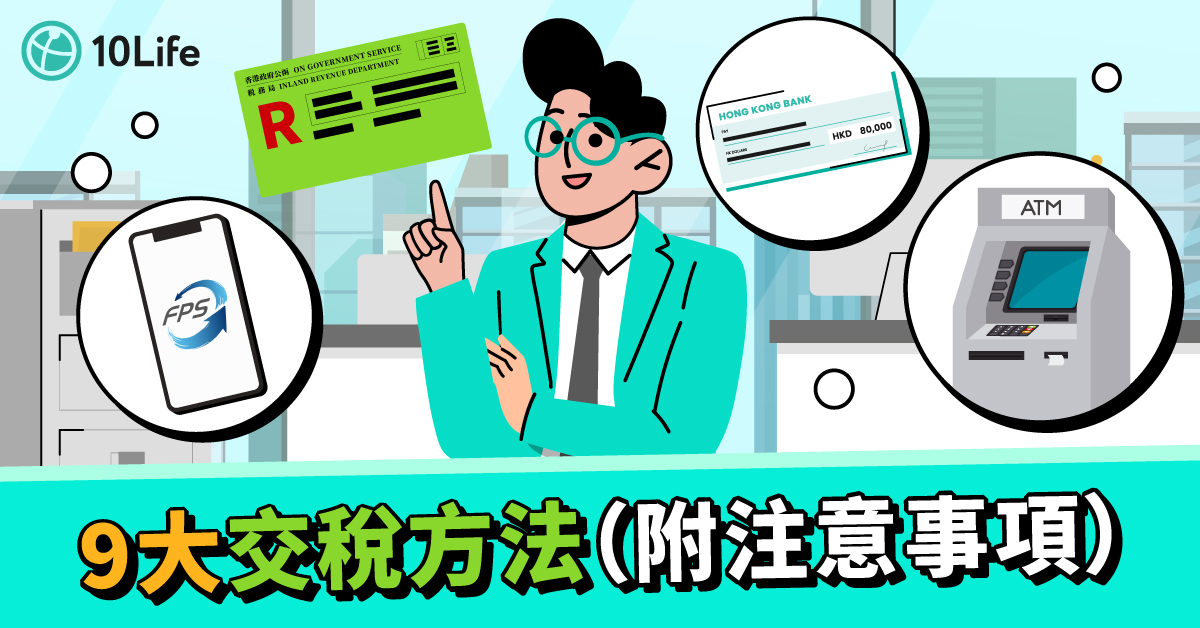
Tax season is upon us again, and it is time to pay tax. As everyone knows, paying tax late can lead to consequences of varying severity, so if you want to avoid penalties, you should pay as early as possible. But what are the tax payment methods in Hong Kong? Which method is the most convenient? How can you pay tax while overseas? Can you pay tax by credit card? This time, 10Life has compiled nine major tax payment methods and provided important tax payment reminders to help all office workers prepare with ease and avoid unnecessary hassle.
How do taxpayers pay tax? A roundup of 9 major tax payment methods and key points to note
The Hong Kong Inland Revenue Department offers taxpayers a variety of tax payment methods. Whether through traditional in-person payment or online platforms, payments can be completed with ease. Below are 9 major tax payment methods and key points to note.
Faster Payment System (FPS) provides instant payment functionality, which can help everyone save time. Even if you leave it until the last minute and forget to pay your tax, you can still make an instant payment and avoid penalties with ease. Taxpayers simply need to scan the QR code on the tax bill through a banking app or electronic wallet (such as Alipay or WeChat Pay) to complete the tax payment.
However, it is worth noting that FPS has a daily payment limit. It is advisable to check your daily payment limit in advance, ensure there are sufficient funds in your account, and pay attention to when the transaction takes effect. In general, successful transactions made on the same day (before 5:00 pm) will take effect immediately, while transactions made after 5:00 pm will be processed on the next working day.
You can use PPS to pay tax by phone or via the online platform. You can also pre-schedule a tax payment date within 270 days in advance, and the online PPS service can even be used to pre-set the second instalment of tax at the same time, helping you avoid missing the payment deadline. However, to use this service, you must first open a PPS account at a designated PPS terminal and register your tax bill details in the account. When making the payment, simply enter the Inland Revenue Department merchant code “10”, then select the relevant bill category and amount to complete the payment.
Please note that each tax bill can be paid a maximum of 3 times per day, and there is no daily payment limit. However, the bank linked to the user may impose its own daily payment limit, so it is advisable to check with the bank in advance. If you encounter any questions or issues during the process, you may call the PPS enquiry hotline at 2311 9876 at any time.
Paying tax through online banking is highly convenient, as users can complete the process directly on the digital platform. Most banks’ online banking services provide a bill payment function; simply select “Inland Revenue Department”, enter the tax bill account number and the amount payable, and the payment can be completed with ease.
Paying tax by credit card has been one of the most widely discussed methods in recent years, as it turns an expense that would otherwise be “money out with nothing in” into an opportunity to earn extra rewards. Taxpayers can settle their tax payments by credit card via online banking, mobile apps or e-wallets. This not only allows them to defer the actual payment date, but also to earn generous cash rebates, air miles, and even use instalment plans to ease the cash flow pressure caused by a large tax bill.
However, not all credit cards count tax payments as eligible spending or spending for points accumulation. It is advisable to check the card policy in advance. Issuing banks such as BOC, HKBEA, Standard Chartered, HSBC, Hang Seng and CCBA have all launched credit card tax payment offers.
In recent years, e-wallets have become increasingly popular, and the Inland Revenue Department has kept pace by launching an e-wallet tax payment service.
When paying tax with an e-wallet, you need to make sure the balance is sufficient and check whether there are any handling fees. For example, paying by credit card through AlipayHK incurs a 1.5% handling fee. You should also verify the account details to ensure they are correct.
You may also pay tax by e-cheque or e-payment ticket, as follows:
It is worth noting that if you use an e-cheque / e-payment ticket to pay tax, the cheque should be made payable to “The Government of the Hong Kong Special Administrative Region” and denominated in Hong Kong dollars. Please also ensure that the e-cheque is still valid (within six months of issue). Up to 10 cheques of the same type of bill can be used to settle tax payments. In addition, payments submitted from Monday to Friday (except public holidays) before 5:00 pm will be processed on the same day, while those submitted after 5:00 pm will be carried over to the next working day.
If you are not familiar with online payments, you may also choose to pay tax using telephone banking. If you have a PPS account, you can pay tax through the PPS Bill Payment telephone method mentioned above. However, if you do not have a PPS account, you can also pay tax directly through your bank’s telephone banking service. Many banks offer tax payment services via telephone banking; for example, customers of HSBC, Hang Seng Bank, or designated Jetco member banks can complete tax payments through the telephone banking hotline.
You can pay tax at HSBC or Hang Seng Bank ATMs displaying the “Bill Payment Service” logo, or at JETCO ATMs displaying the “JET Payment” logo. The process is very simple: just follow the instructions to enter the Inland Revenue Department’s merchant code, the debit account and the payment amount to complete the tax payment process.
Want to pay tax in cash? Bring your tax bill and pay in person at the Kai Tak Tax Centre, any convenience store across Hong Kong, or any post office.
Address: G/F, Trade and Industry Tower, 3 Coordination Road, Kai Tak, Kowloon, Hong Kong
Opening hours: Monday to Friday: 9:30 a.m. to 5:00 p.m.; Saturday: 9:30 a.m. to 1:00 p.m.
Simply mail a crossed cheque to “The Commissioner of Inland Revenue, P.O. Box 28282, Choi Hung Post Office, Kowloon, Hong Kong”, and write the account number shown on the demand note on the back of the cheque. You may enclose the payment slip, the full-page tax demand note, or the payment advice at the bottom of the tax demand note with the cheque. Before sending, please carefully check the cheque details and postage to ensure the tax payment can be processed smoothly. However, please note not to staple the cheque and documents together.
The above are the main tax payment methods in Hong Kong. You may choose the most suitable method according to your preference. For further details on tax payment, please refer to the Inland Revenue Department website.
By when must tax be paid after receiving the tax demand note?
Upon receipt of the Notice of Assessment, the tax payment due date is usually clearly stated on the notice, and tax must be paid by the specified date. In general, the payment is divided into two instalments: the first instalment is usually due in January, and the second in April. If you are unable to pay tax on time, you should notify the Inland Revenue Department as soon as possible.
What are the consequences of late tax payment?
Paying taxes late can have serious consequences. Under Hong Kong’s Inland Revenue Ordinance, if tax is not paid on time, the Inland Revenue Department will treat it as tax in arrears. A first late payment will incur a surcharge of not more than 5%; if the payment is overdue for more than six months, an additional surcharge of 5% to 10% will be imposed. If you do not want to pay a surcharge, you should make sure to pay your taxes on time.
What can you do if you do not have enough money to pay tax?
If you are short of cash, you may also apply to the Inland Revenue Department for instalment tax payments. In general, a repayment period of 6 months may be approved, and in special circumstances, it may be extended to a maximum of 12 months. The application process is also very simple: you only need to complete the instalment tax payment application form (for individuals / sole proprietorships, the IR1360 form) and provide the tax demand note, 3 months’ bank statements, records of income and expenditure, and bank statements, etc. If you are a business operator, you will need to submit the latest 3 months’ management accounts (including the profit and loss account and balance sheet), cash flow statements and forecasts.
Make good use of the “three tax-deductible products” to save tax while enjoying protection
To save tax, many people consider the so-called “tax-deductible trio”, which offers an extra layer of protection while helping reduce their tax burden. Among these, a Qualified Deferred Annuity Policy (QDAP, tax-deductible annuity) can provide a tax deduction of up to HK$60,000 or more per year, allowing the money you have worked so hard to earn to be used towards planning your ideal retirement life. Check out the tax-deductible annuity comparison and tax deduction considerations.
Further reading:
[2026 Tax-Deductible Annuities Guide] An analysis of annuity tax-deductible products (10-year annuity term) — see how annuities help you save tax and which insurer offers the highest returns!
[Tax-saving tool] When will a tax-deductible annuity break even? How can you maximise your tax deductions?
[2026 Tax Allowances] What are tax allowances? See personal allowances and 8 deduction methods
[Tax Filing 2026] How do you apply for online tax filing? 4 steps to open an “eTAX” account and a tax filing guide
[First-time Tax Filing Guide] How do you complete a tax return? See the filling-in steps and a handy guide
Last updated on 1 January 2026

This English version of this article has been generated by machine translation powered by AI. It is provided solely for reference purposes. In the event of any discrepancy or inconsistency between this translation and the original Chinese version, the Chinese version shall prevail.
Our team of professional content researchers focussing on insurance
Our team of professional content researchers focussing on insurance
10Life Product Comparison and 10Life Insurance Ratings are developed by 10Life Financial Limited, an authorised insurance broker company licensed with the Insurance Authority under License Number FB1526. 10Life Product Comparison and 10Life Insurance Ratings are developed for generic customer segments using mathematical calculations based on product information, facts and data, and are not influenced by any partnerships with or fees received from insurance companies. Any information on 10Life Platform ("10Life Information"), including but not limited to Product Comparison, Product Ratings, Blog Articles are intended for general education purpose and reference only. None of the 10Life Information is intended, nor should they be considered or relied upon, as regulated advice, insurance, financial, investment or professional advice, recommendation, approval, endorsement, invitation or solicitation in respect of any insurance, financial or investment products. 10Life Information does not take into account your individual needs. Reading 10Life Information should not be considered as conducting a suitability assessment, and is not sufficient to form the basis of any decisions to purchase any insurance products. You should rely on information authorised by insurance companies, carry out your own research and/or seek independent advice from licensed intermediaries before purchasing any insurance products or making any insurance decisions. While reasonable effort is used when collecting, validating and updating 10Life Information from various channels, none of 10Life Group and its subsidiaries, affiliates, agents, directors, officers and employees will be responsible for any liability, claim or loss arising from or associated with you using 10Life Information. No warranty, representation or guarantee is given by 10Life Group and its subsidiaries on the accuracy, completeness and timeliness of the information. If you have any questions on 10Life Product Comparison and 10Life Insurance Ratings, please email us at enquiries@10life.com




 Talk to 10Life on WeChat
